- Map warm intros — surface your (or your founders’) first-degree connections so you can prioritize warm introductions.
- Re-engage your network — build a campaign to the connections you’ve already made on LinkedIn.
Export your connections
1
Open Settings & Privacy
Click the Me icon at the top right of LinkedIn, then select Settings & Privacy.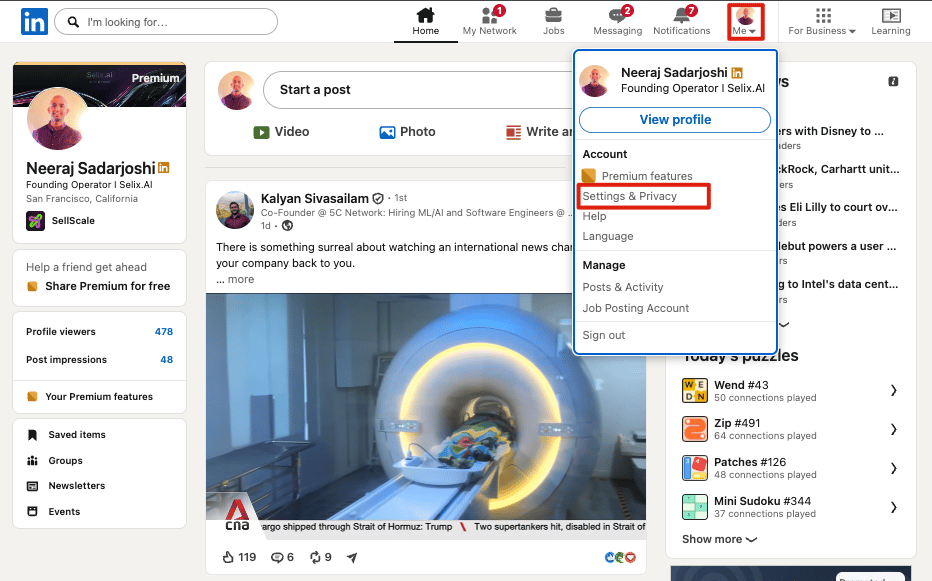
2
Go to Data privacy
In the left pane, click Data privacy.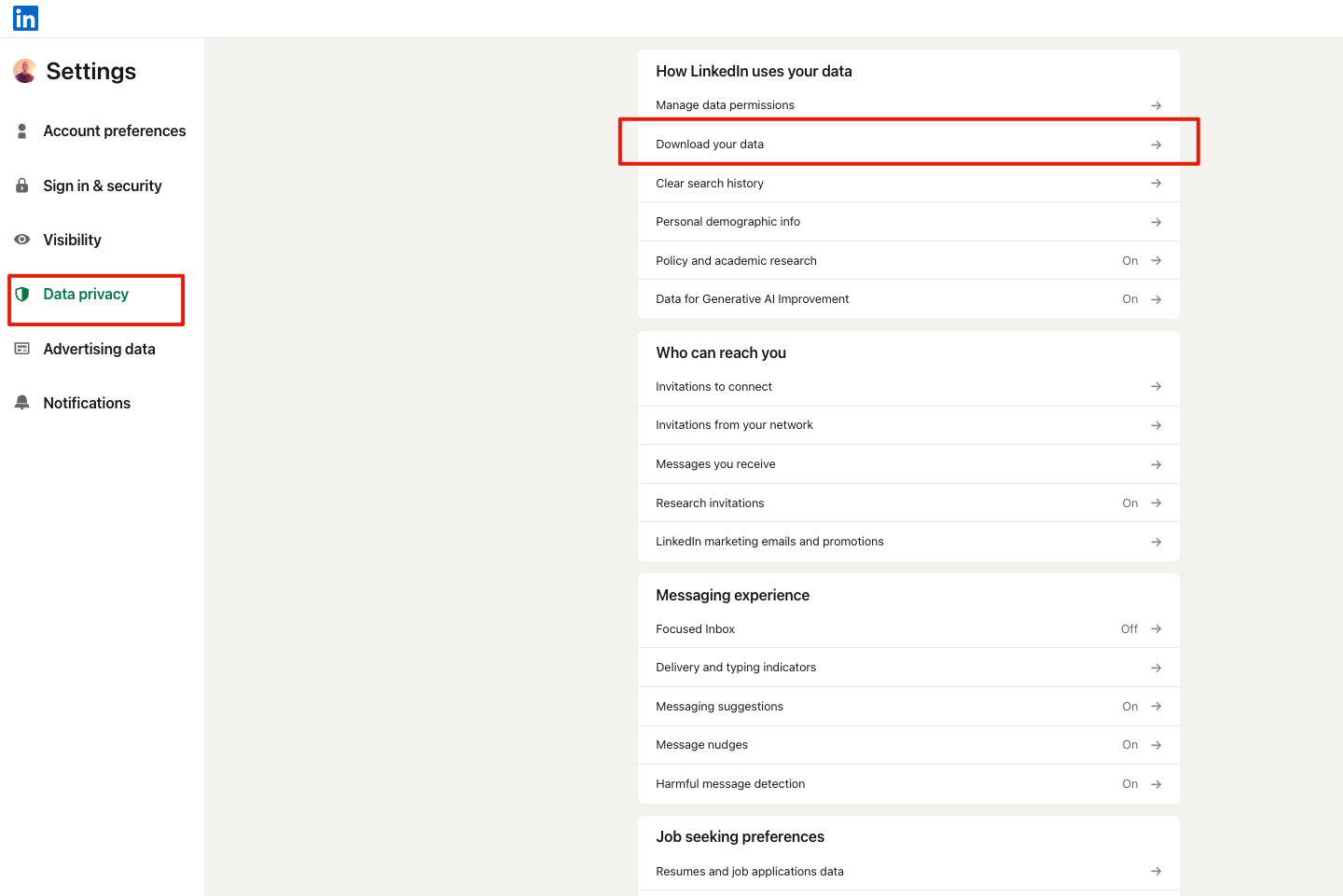
3
Get a copy of your data
Under How LinkedIn uses your data, click Get a copy of your data (Download your data).
4
Request the larger archive
Select Download larger data archive — it includes your connections (names, companies, and titles) — then click Request archive.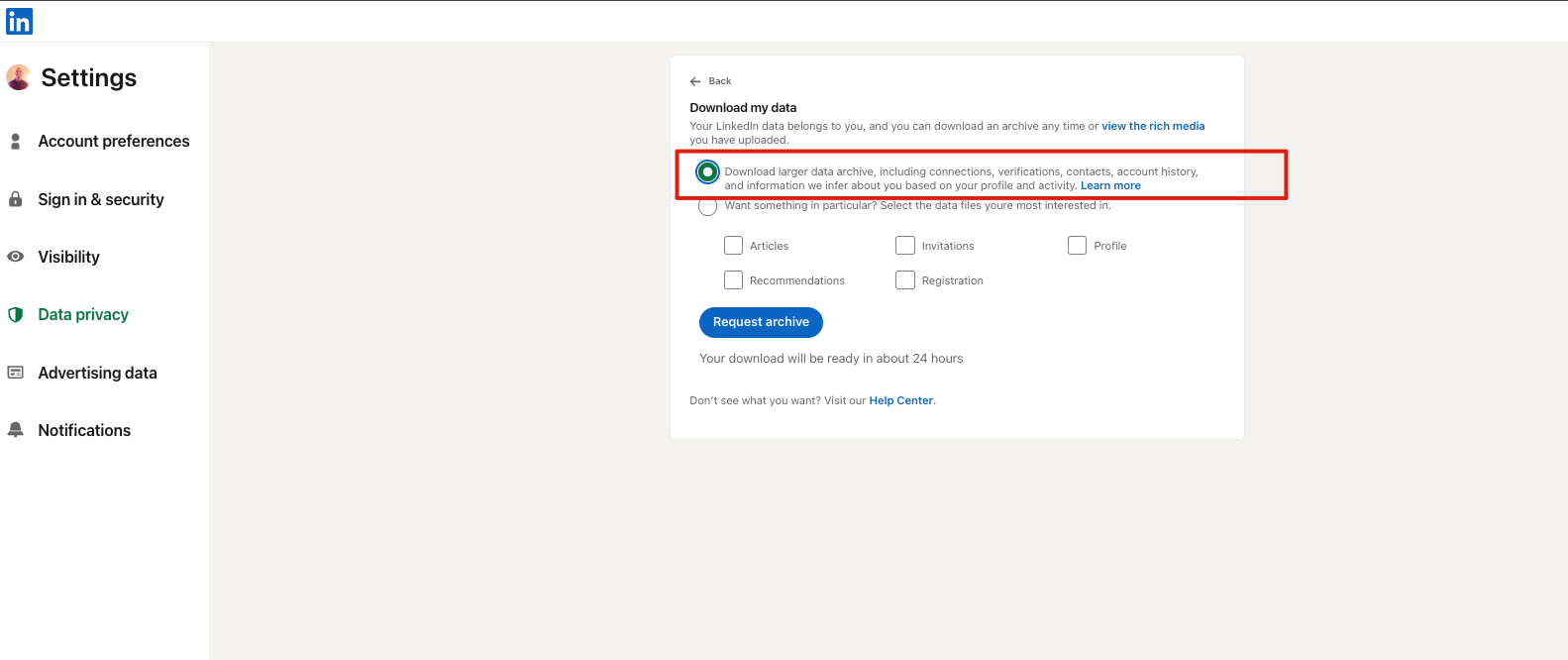
5
Wait for the email
LinkedIn emails a download link to your primary address. A first file often arrives quickly; the full archive can take a few hours, and occasionally up to a day.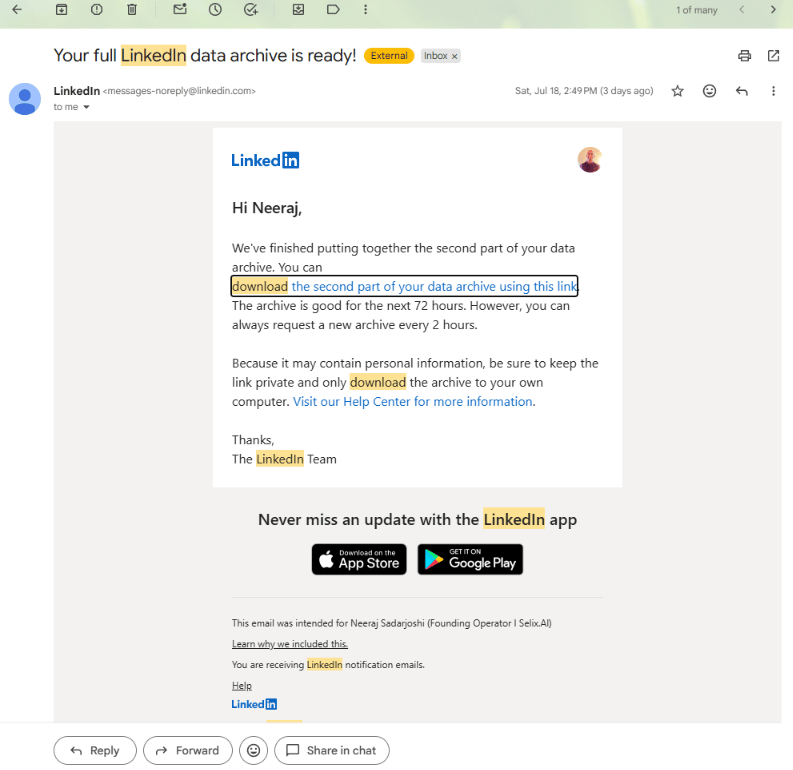
6
Download and send it over
Open the download link, grab the Connections.csv, and send it to your Selix team. We ingest it and take it from there — no account access needed.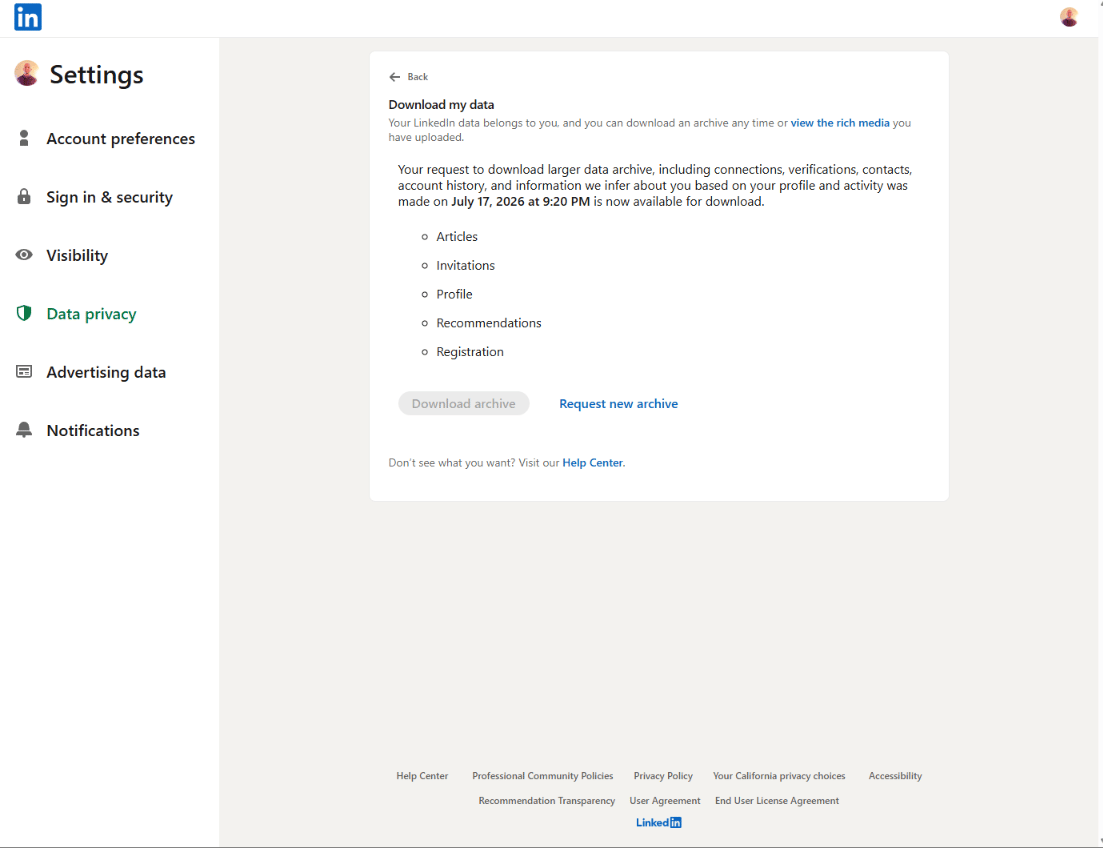
Some connections’ email addresses may be blank — LinkedIn only includes an email if that person allows their connections to see it. That’s fine; Selix works from names, companies, and titles.