Step 1: Open deeplink
A SellScale Operator will provide you a link to your application. Open the settings page: https://app.sellscale.com/settings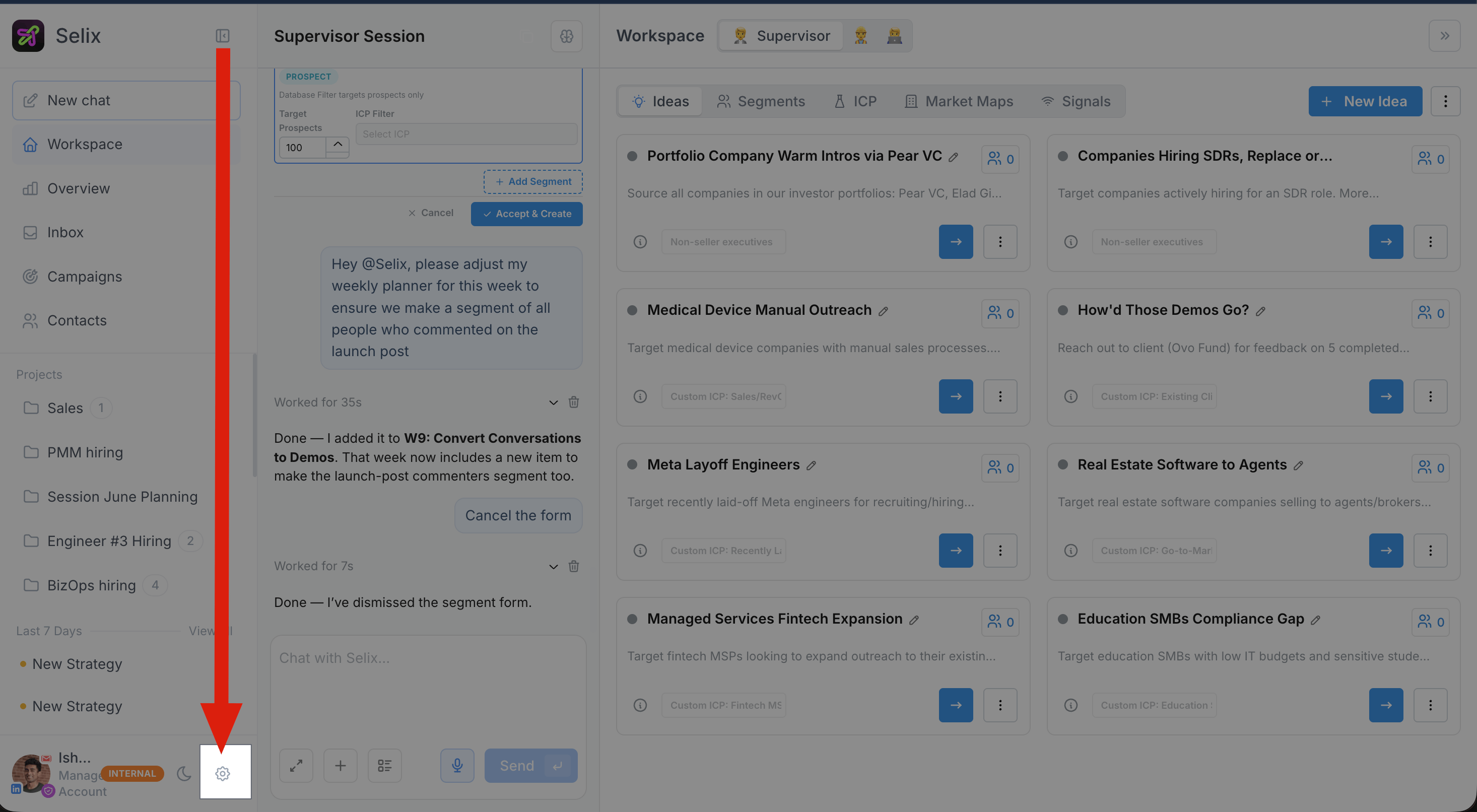
Step 2: Click “Slack” Integration
Connect Slack so Selix can chat with you, send pipeline cards, and run worker sessions directly where you already work.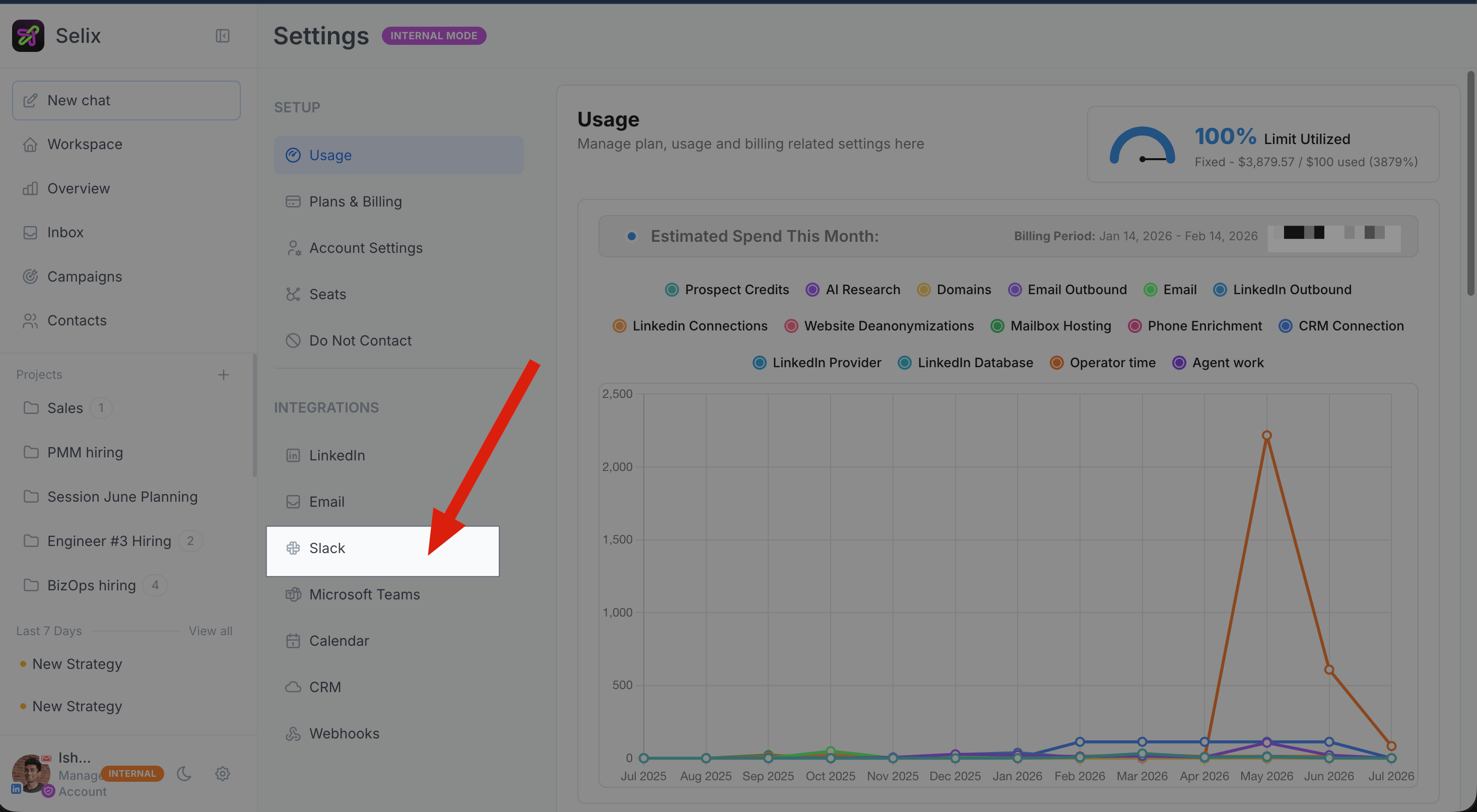
Step 3: Connect your personal Slack account
You’ll get an integration screen to connect Slack.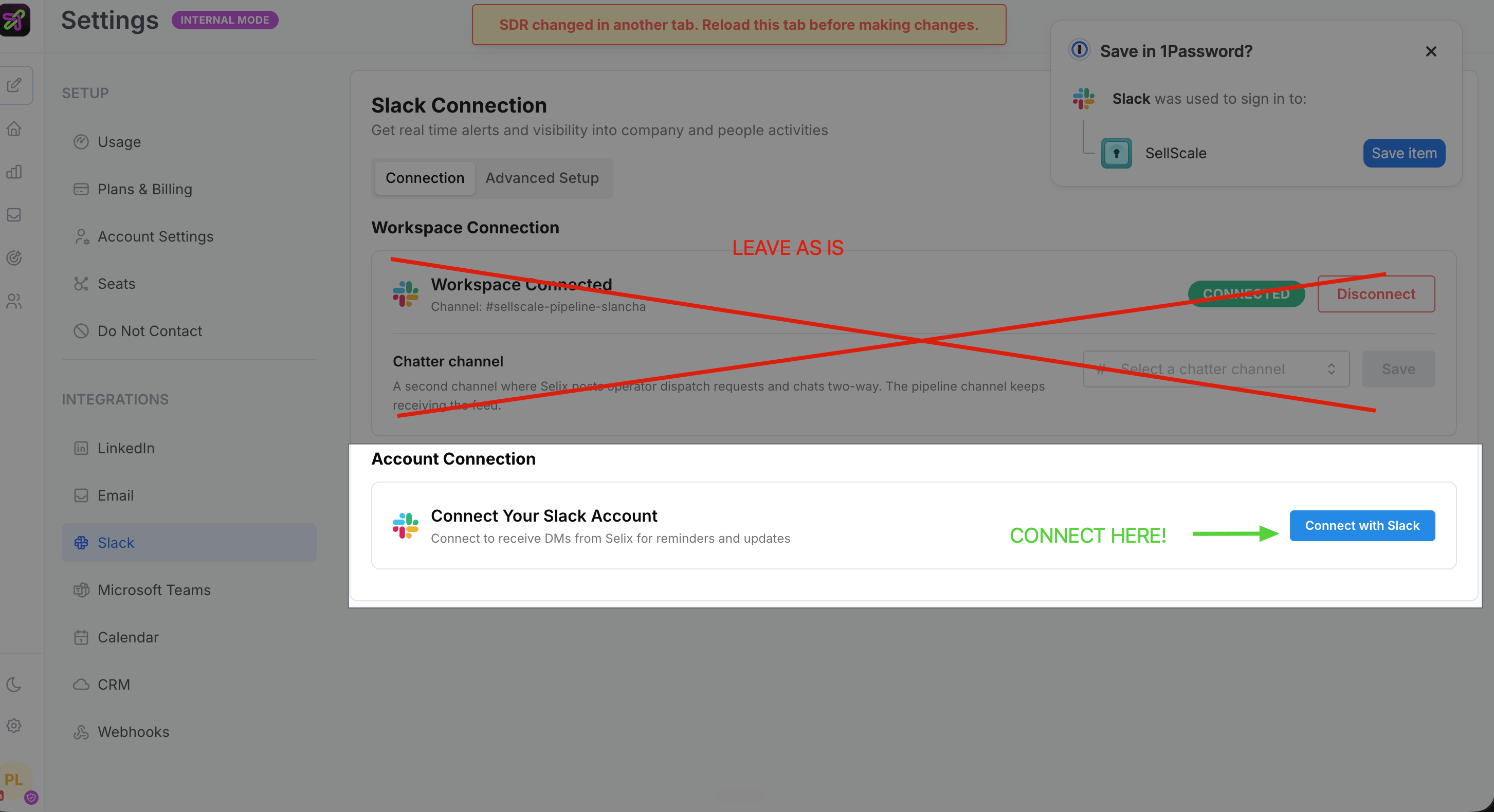
Done! Slack can now recognize you in the pipeline channel.
Video walk through (for a specific client - so generalize to yourself!)